Jobs and estimates
Job statuses and the stage bar
What each status means, which ones change by themselves, and what the jobs list shows.
The statuses
- Enquiry and Estimating: still being bid. Kit on these jobs is pencilled, not held.
- Confirmed, In production and Wrapped: the job is going ahead. Kit is held.
- Invoiced: the final invoice has been sent.
- Paid: the final invoice has been paid in full.
- Lost and Cancelled: the job did not happen. Its kit is released.
Changes BidWrap makes for you
- When an estimate is approved, by the client online or by you, an Enquiry or Estimating job becomes Confirmed.
- When you mark an estimate as declined, and no other estimate on the job is still open or approved, an Enquiry or Estimating job becomes Lost.
- When the final invoice is sent, the job becomes Invoiced.
- When payments cover the final invoice, the job becomes Paid.
You can change the status yourself at any time in Job details.
The stage bar
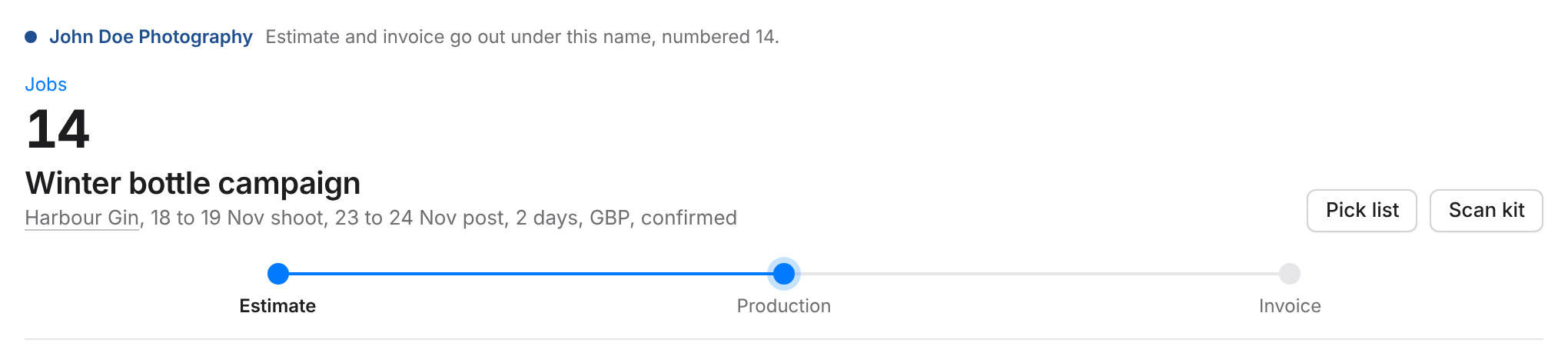
Under the job title, a bar shows the three stages: Estimate, Production and Invoice. The stage the job has reached is marked. Click Estimate or Invoice to switch between the estimate and the invoices. Production follows the status, so it cannot be clicked.
A job that is Invoiced or Paid opens on its invoice, ready to record a payment. Other jobs open on the estimate.
In the jobs list
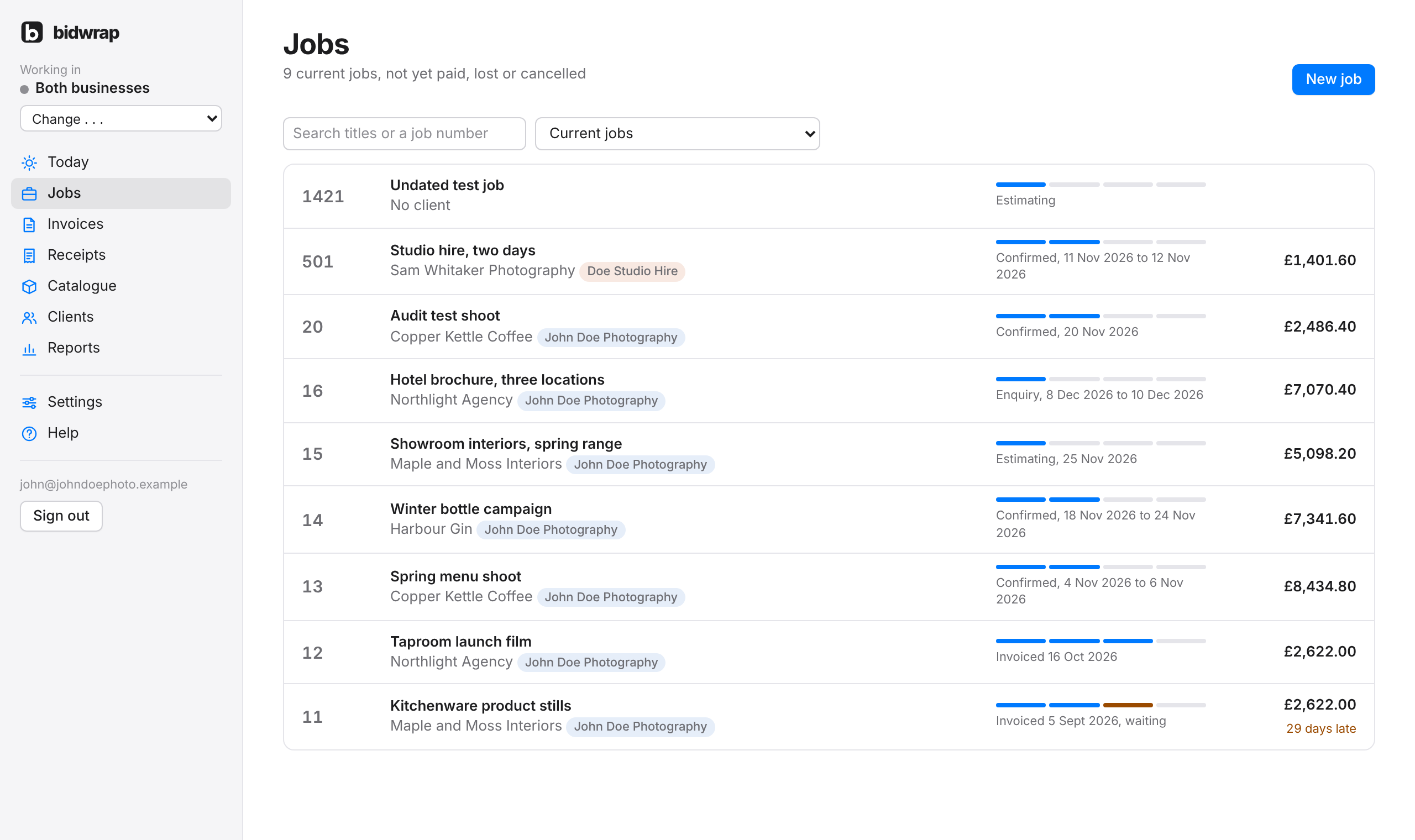
Each job in the list shows a short track of four steps, from estimate to paid, with the status and dates beside it, and the total on the right. An invoice past its due date shows how many days late it is.