Jobs and estimates
Building an estimate
Adding lines from your catalogue, custom lines, tax, discounts and the totals.
A new job opens on its estimate. Lines are grouped under headings, such as fees, crew and kit hire, each with its own subtotal.
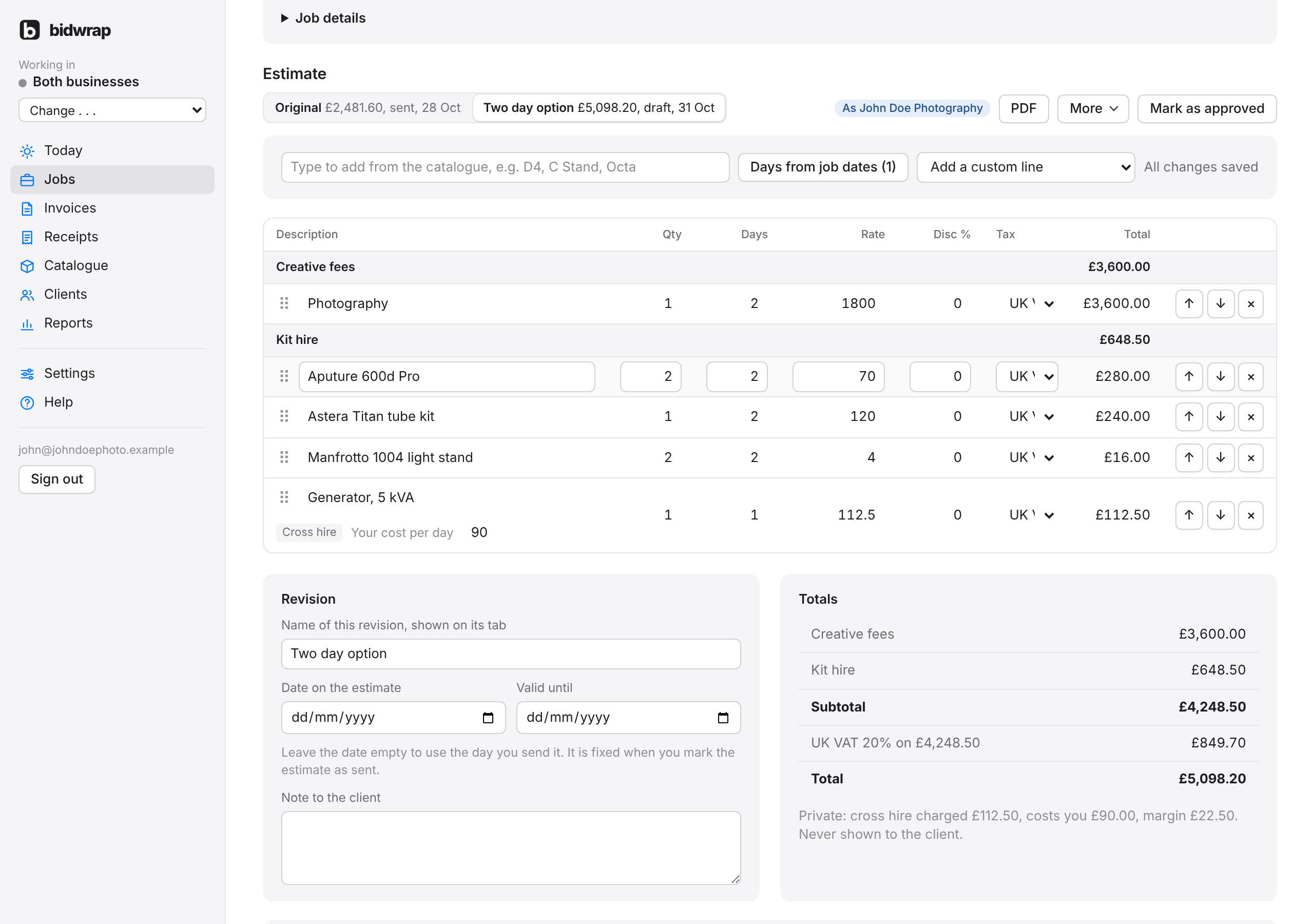
Adding lines from your catalogue
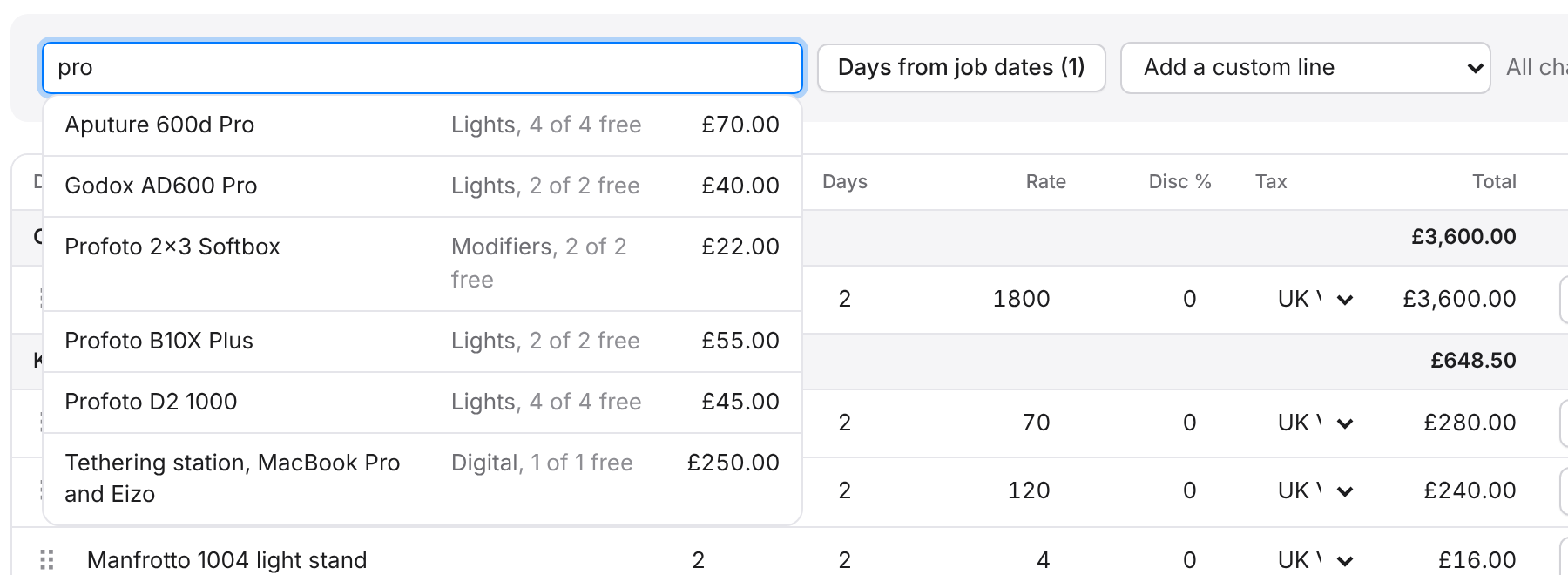
- Click in the box that says Type to add from the catalogue.
- Type at least two letters of an item, for example D4 or C Stand.
- Click the item in the list, or press Enter to add the first one.
The line goes under the item’s heading, with its rate, and with the job’s days if it is charged per day. Kit you own shows how many are free on the job’s dates as you search.
Adding a custom line
- Click Add a custom line.
- Choose the heading it goes under.
- Type the description, then the quantity, days and rate.
The columns
- Qty: how many.
- Days: how many days. For a fixed price, leave it at 1.
- Rate: the price for one, for one day.
- Disc %: a discount on this line, as a percentage.
- Tax: the tax rate for this line, or No tax.
- Total: quantity times days times rate, less any discount, before tax.
Moving and removing lines
Drag a line by the dotted handle at its left, or use the up and down arrows at its right. A line moves within its own heading. Click × to remove a line.
Saving
There is no save button. Changes save by themselves a moment after you stop typing, and the words beside the search box show Saving, Unsaved changes or All changes saved. On a Mac you can press Command S to save straight away, or Control S on a PC.
Under the lines
- Name of this revision: shown on its tab.
- Date on the estimate and Valid until. Leave the date empty to use the day you send it.
- Note to the client: printed on the estimate PDF.
- Totals: each heading, the subtotal, the tax for each rate and the total.