Kit, catalogue and rentals
The availability calendar
Seeing your own kit booked on jobs, day by day, and spotting double bookings.
Availability shows each piece of your own kit that is booked on a job, for two weeks from today. Cross hired kit is not counted. To open it, click Catalogue in the side menu, then the Availability tab at the top.
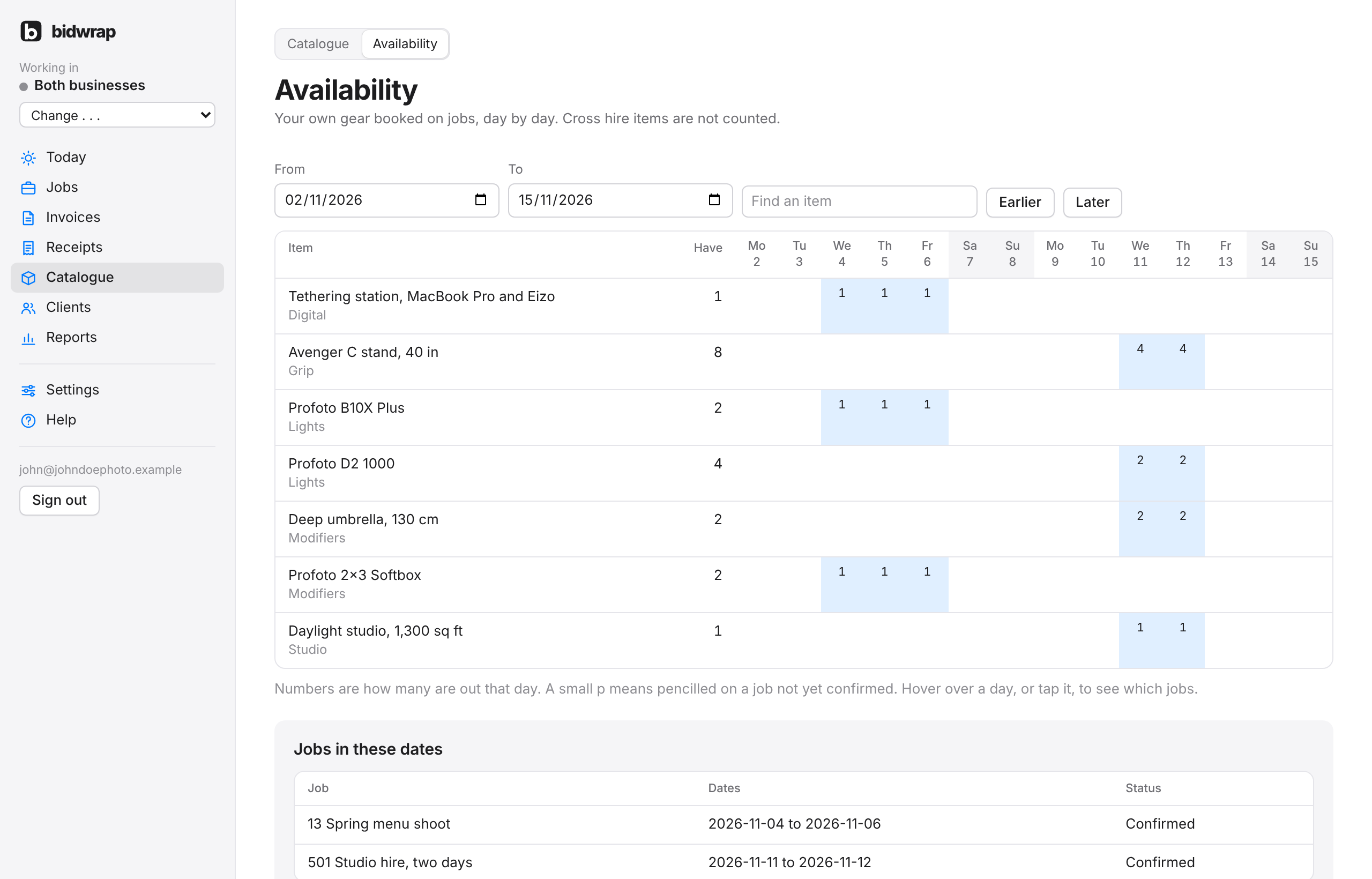
- Have is how many you own that are available to rent.
- Each day shows how many are out on firm jobs. A small p means pencilled on a job not yet confirmed.
- Hover over a day, or tap it on a phone or iPad, to see which jobs have that kit out and how many each. Click a job to open it.
- Items that are double booked are listed first, marked in red, with a warning at the top.
- Jobs in these dates at the bottom lists the jobs, with their dates and status.
Changing the dates
- Choose a date in From.
- Type an item name in Find an item to show just that one. The table changes as you choose and type.
Earlier and Later move the dates back or forward.
Which days kit is held
Kit is held from the first day of the job to the last day that is not a post or returns day. A returns day does not hold kit, so it is free for the next hire that day.