Kit, catalogue and rentals
Printing a register for your insurer
A PDF or spreadsheet of the kit you own, with the columns you choose.
- Click Catalogue in the side menu.
- Click More, top right, then Print register.
- Tick the Columns to show. Leave Price paid unticked if you would rather the insurer did not see it.
- Choose Which kit: all categories, or one.
- Choose whether to include Kit for your own use, or rental kit only.
- Choose the Business name at the top, and type a Title if you like.
- Tick One list, not grouped by category if you want one long list.
- Tick Include kit that has been sold, lost or retired if your insurer asks for it.
- Click Make the PDF, or Make a spreadsheet.
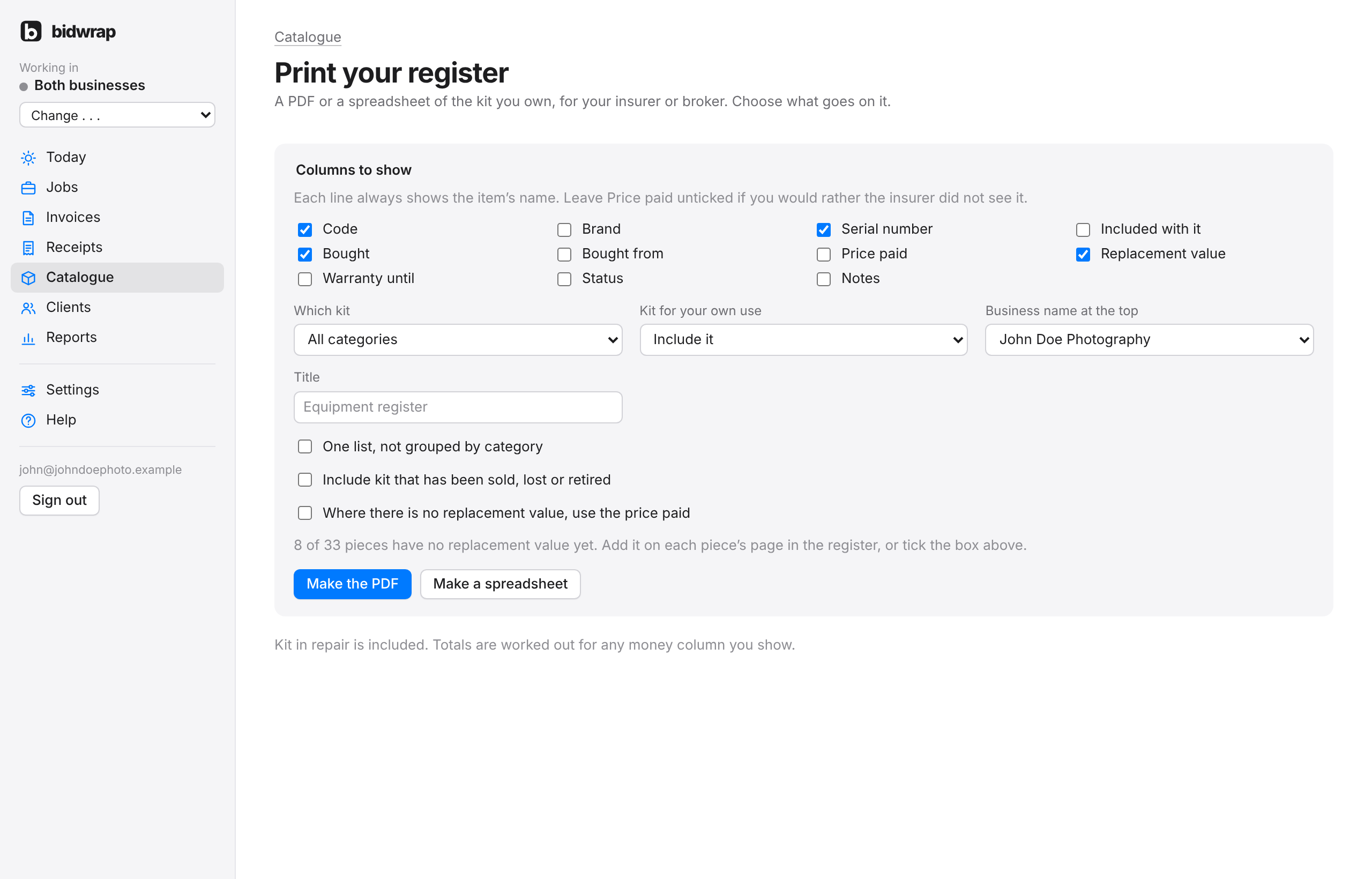
Kit in repair is included. Totals are worked out for any money column you show.