Kit, catalogue and rentals
Gear returns: what your kit has earned
Days out, money earned and return on what you paid, for each item and the whole register.
Gear returns shows, for each catalogue item, how many jobs and days it has been out, what it has earned before VAT, what you paid for its units, and the return on that.
- Click Catalogue in the side menu.
- Click More, top right, then Gear returns.
- Choose a year and a category, or leave them on all.
- Choose how to sort the list, for example Most earned. The list changes as you choose.
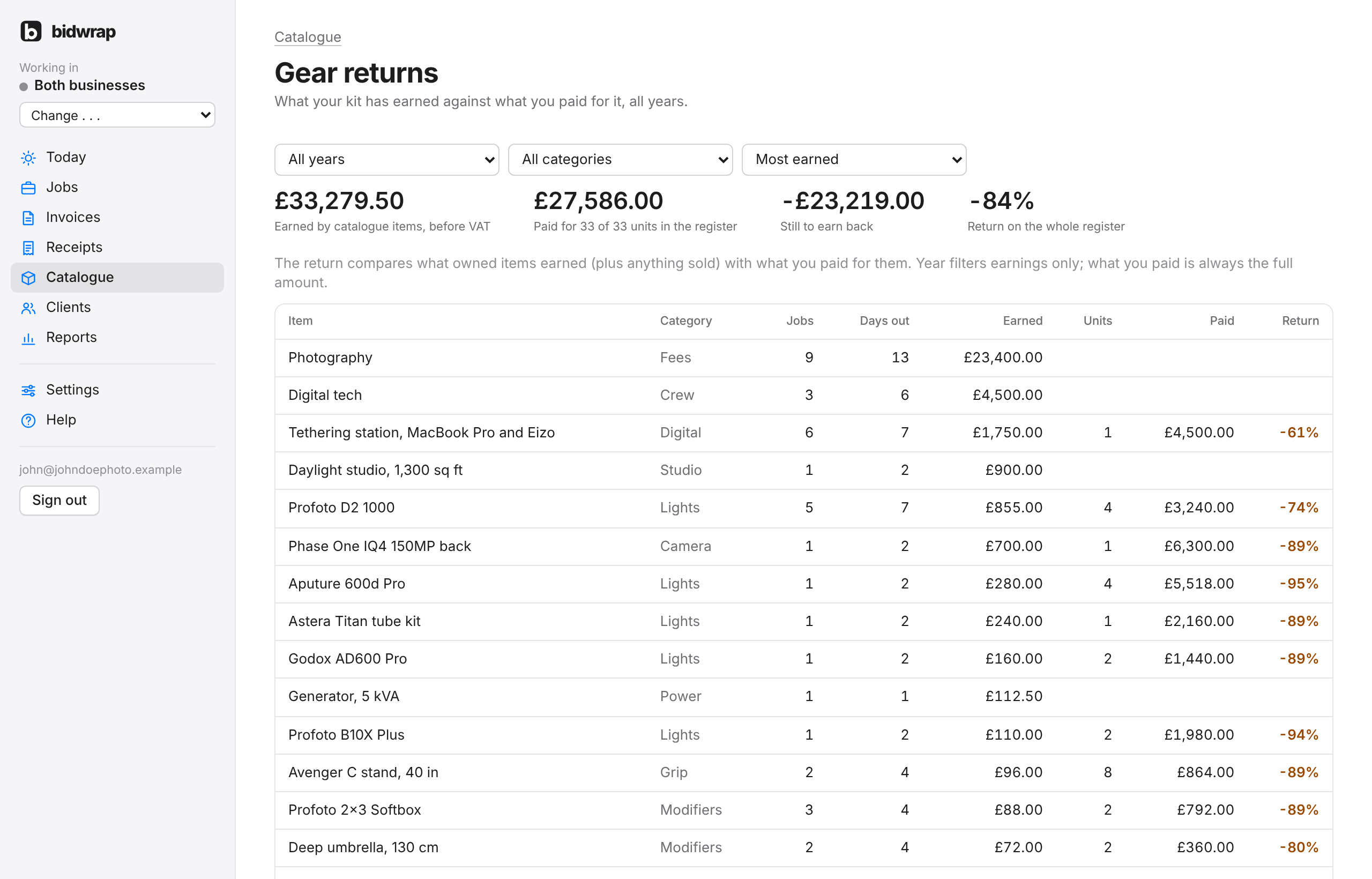
- Only estimate and invoice lines linked to a catalogue item are counted.
- Lost and cancelled jobs are left out.
- Jobs in other currencies count at the European Central Bank rate on the job’s date.
- The return shows Not known where purchase prices are missing.
Each item’s own page has its Rental history, job by job, with the return for each unit.
TipLines from old Blinkbid jobs only count once they are linked to a catalogue item. See Matching old names.