Kit, catalogue and rentals
Units: your serial numbered register
Recording each piece you own, with its serial number, price and status.
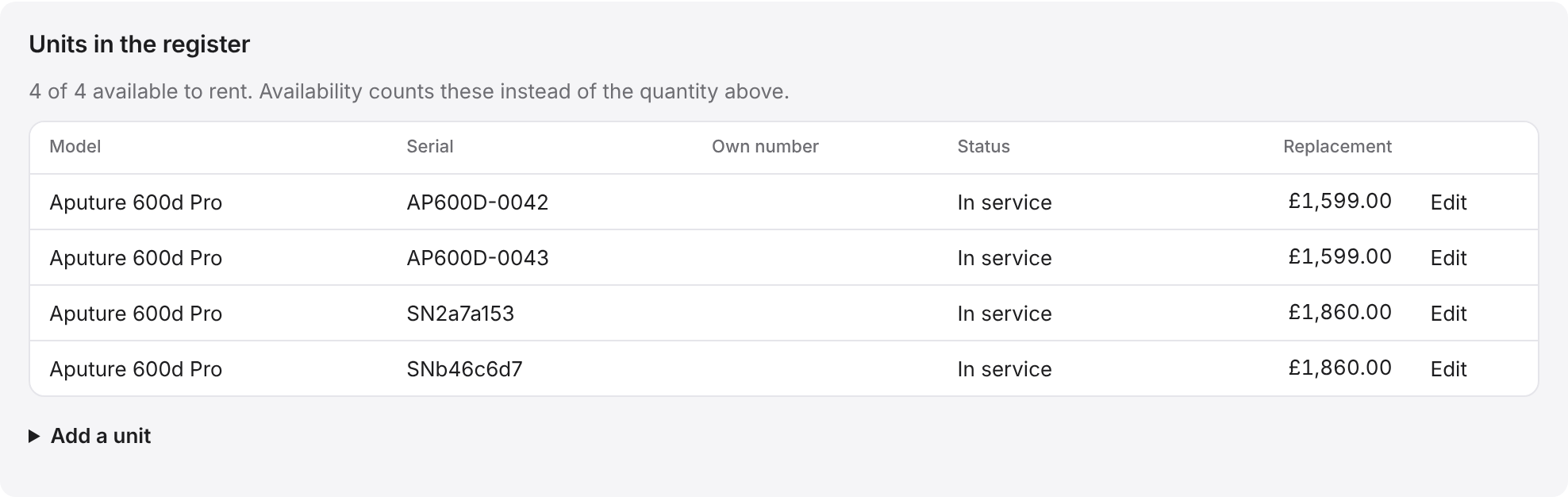
A catalogue item is what you charge for, such as Profoto D2 1000. A unit is one real piece of it, with its own serial number. If you own three D2 heads, the item has three units.
Adding a unit
- Open the item in the catalogue.
- Scroll to Units in the register.
- Click Add a unit.
- Type the Model, and the brand, serial number and your own number if it has one.
- Fill in the purchase date, purchase price, replacement cost, who you bought it from and the warranty.
- Click Add unit.
Status
- In service: ready to go out.
- In repair: not available for now, but still on your register for insurance.
- Sold, Lost or stolen and Retired: gone. Choose Sold and the Sold date and Sale amount boxes appear, for the details of the sale.
Untick Available to rent for a piece you keep for your own use. A Reason if not for rent box then appears, to say why.
Availability counts the units that are in service and available to rent. Each unit page also shows when it was scanned out and back in.
Good to knowDelete a unit only if it was added by mistake. For kit you sold or lost, change its status, so its history is kept.