Invoices and payments
Reports and the spreadsheet
Month by month figures, who owes you, your top clients, and a spreadsheet for your records.
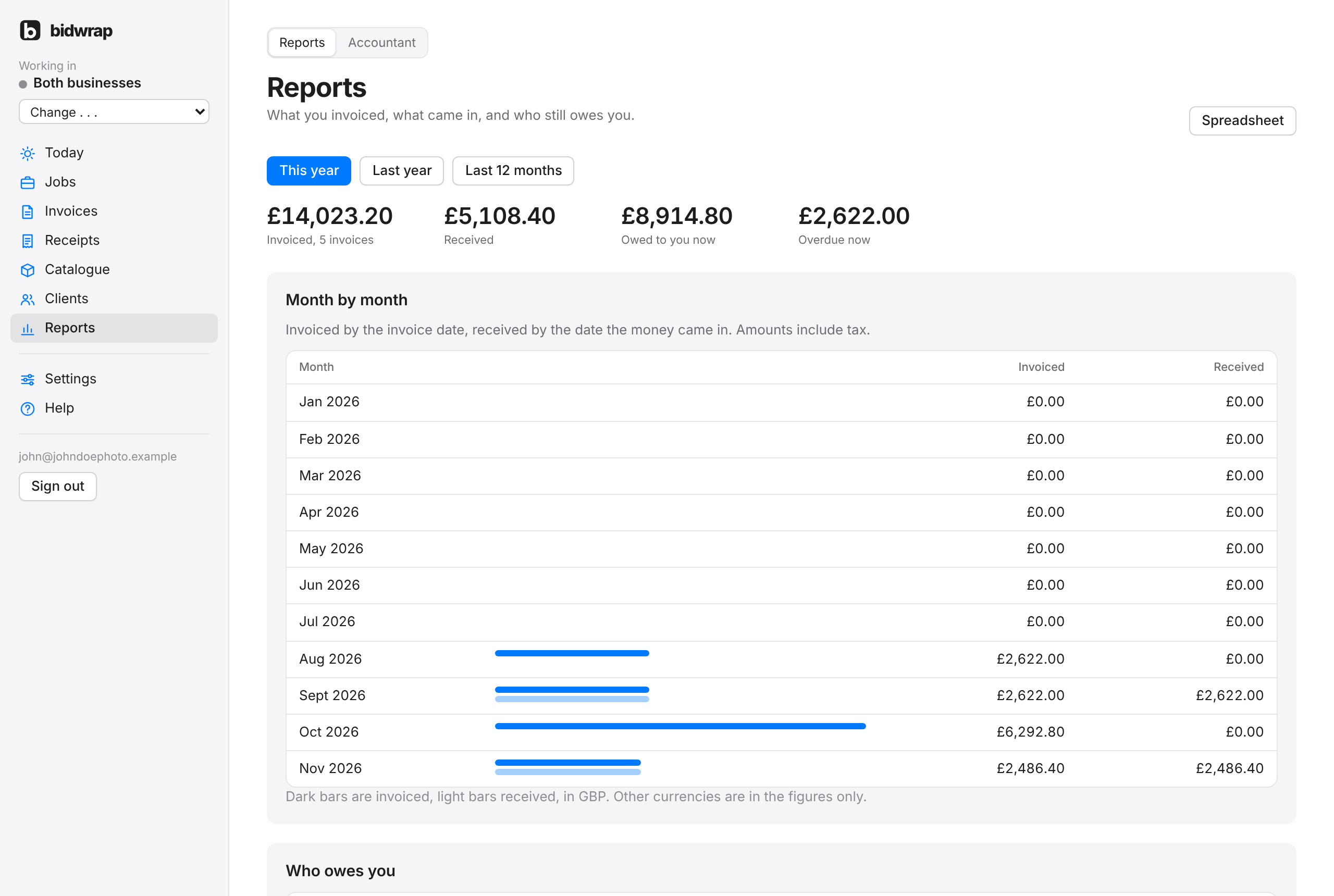
Reports shows what you invoiced, what came in and who still owes you. Choose This year, Last year or Last 12 months at the top. The Accountant tab, beside Reports, has the accountant pack.
- The totals for the period: invoiced, received, owed to you now and overdue now.
- Month by month: invoiced by the invoice date, and received by the date the money came in. Amounts include tax.
- Who owes you: each client with money owed and their most overdue invoice.
- Top clients: who you invoiced most in the period.
Downloading a spreadsheet
- Choose the period at the top.
- Click Spreadsheet, top right.
You get a CSV file with every invoice in the period, one row each, which opens in Numbers, Excel or Google Sheets.
The month by month bars are in your home currency. Invoices in other currencies are in the figures only. With more than one business name, Reports follows the business you are working in.