Invoices and payments
The Invoices page: what you are owed
Outstanding and overdue totals, how late each invoice is, and finding old invoices.
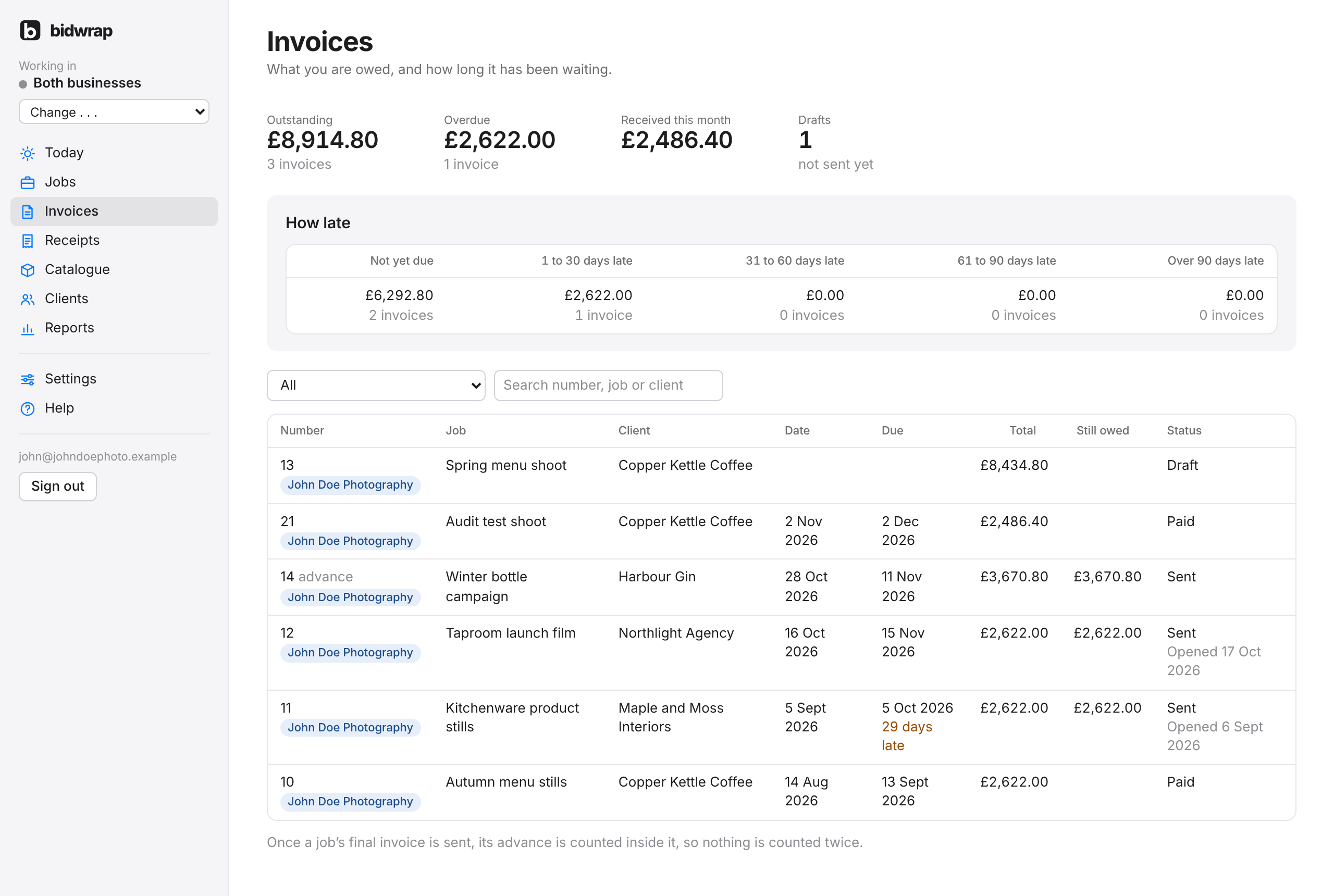
The Invoices page shows every invoice across your jobs. At the top are four totals: Outstanding, Overdue, Received this month and Drafts. Click Outstanding, Overdue or Drafts to show those invoices.
How late splits what you are owed into Not yet due, 1 to 30 days late, 31 to 60, 61 to 90, and over 90 days late.
Showing the invoices you want
- Choose what to show: Outstanding, Overdue, Drafts, Paid, Written off or All.
- Type a number, job or client in the search box if you like. The list changes as you choose and type.
Good to knowThe page opens on Outstanding, so paid invoices are hidden. To find an old invoice, choose All or Paid first.
Click an invoice number to open it on its job.