Invoices and payments
Recording a payment
Adding money received, and how invoices and jobs are marked paid.
- Open the job. An invoiced job opens on its invoice.
- Once the invoice is sent, Record a payment is at the top, under the invoice number. Before then, click Record a payment . . . under Payments received.
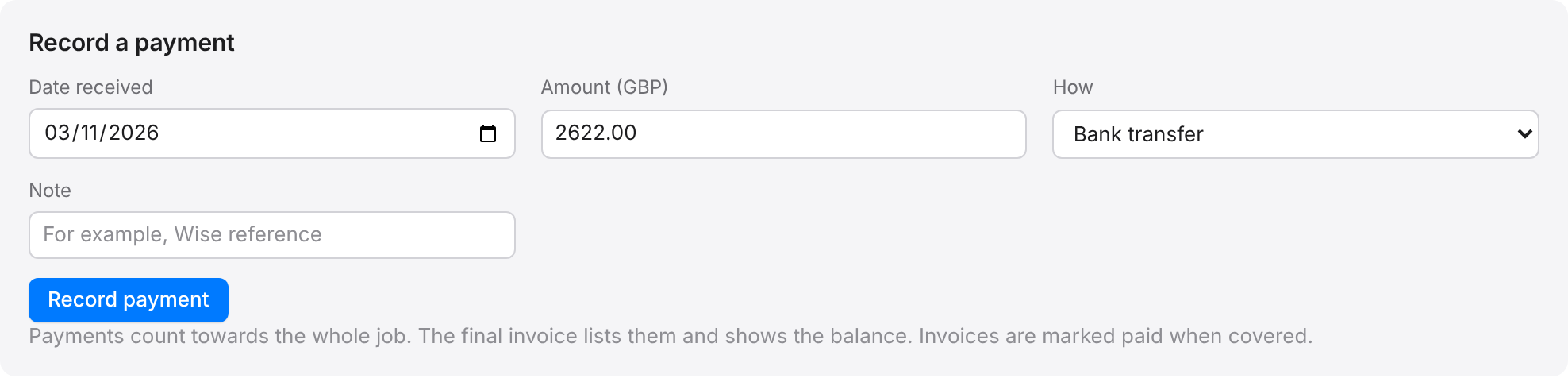
- Check the Date received.
- Check the Amount. It starts as the amount still owed.
- Choose How: bank transfer, card, cash, cheque or other.
- Add a Note if you like, for example the bank reference.
- Click Record payment.
When the payments cover an invoice, it is marked paid. When they cover the final invoice, the job becomes Paid. The panel shows the total received and the balance on the invoice.
To take a payment off, for example one recorded twice, click Remove beside it.