Getting started
Finding your way around BidWrap
What each item in the side menu is for, and what the Today page shows.
BidWrap runs in your web browser, on a Mac, a PC, an iPad or a phone, so there is nothing to install. Everything you type is saved to your account as you work.
The menu down the left side of the screen takes you to each part of BidWrap. On a phone the same menu sits along the top and scrolls sideways.
The main menu
- Today: what needs you now, such as invoices overdue, estimates waiting and receipts to check, and a short checklist for getting set up.
- Jobs: your current jobs, newest first, with their estimates, invoices and kit. Choose All jobs to see your whole history.
- Invoices: what you are owed and how long it has been waiting.
- Receipts: photograph or upload receipts, check them and link them to jobs.
- Catalogue: the things you charge for, from kit and studio days to fees and crew, and the register of each piece of kit you own. Its Availability tab shows your own kit booked on jobs, day by day, with double bookings marked.
- Clients: the companies and people you work for, and their contacts.
- Reports: what you invoiced, what came in and who still owes you, month by month. Its Accountant tab gathers the sales, receipts and statements for a tax period, in one download.
Below the line
- Settings: your business details, business names, tax rates, bank accounts, wording, emails, backups, and Import to bring your history across from Blinkbid.
- Help: these guides, and Report a problem, to tell us about anything broken, confusing or missing.
- Sign out: at the very bottom, under your email address.
Sorting a list
On Clients, Invoices, Receipts and the Catalogue, click a column heading to sort the list by it. Click it again to turn the order round, and a third time to go back to the usual order. An arrow shows which column is sorted. Each list remembers how you left it. In the Catalogue, items are sorted within each category.
The Today page
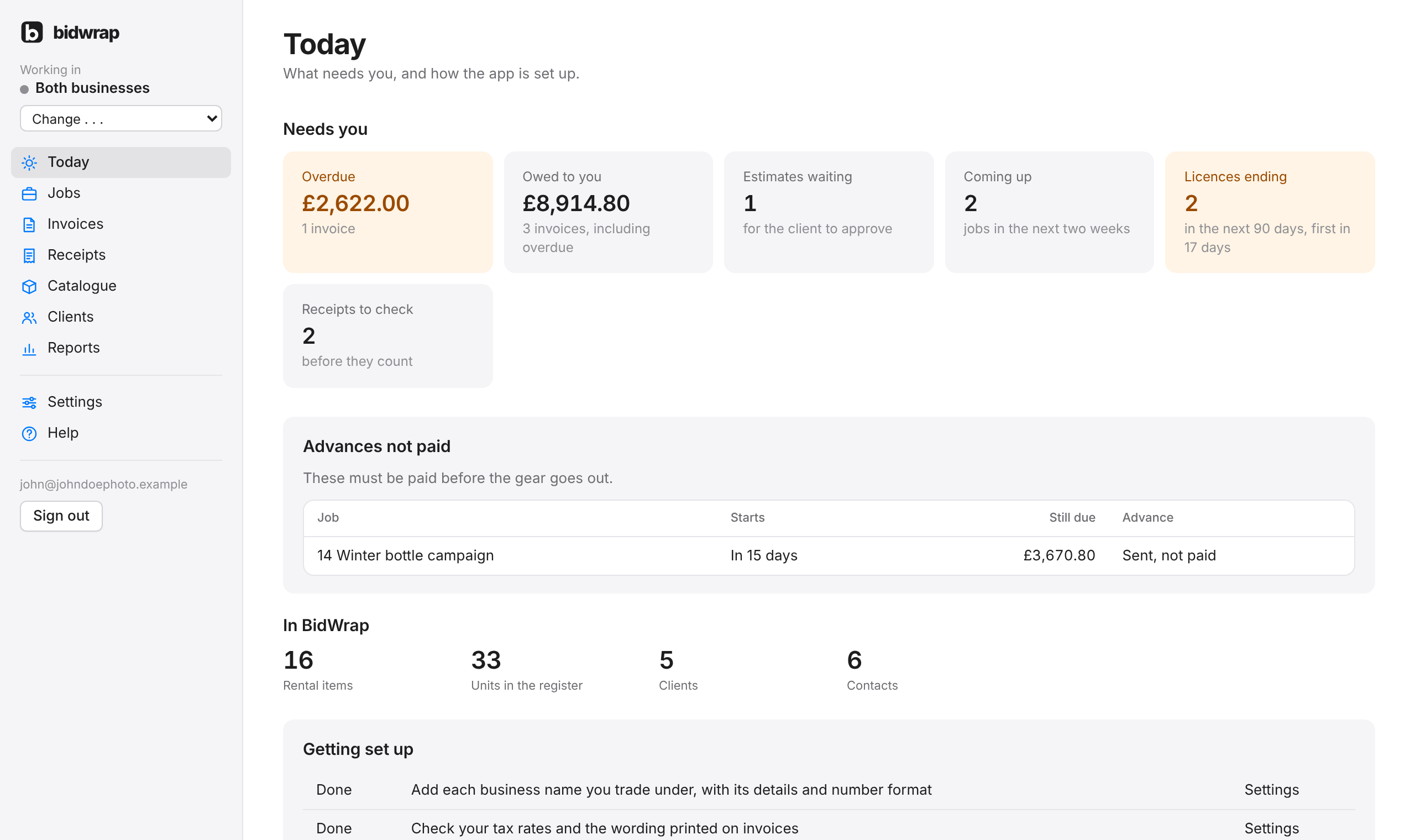
Today is the first page you see after signing in. At the top, Needs you has a box for each thing waiting on you. Click a box to open that list.
- Overdue: invoices past their due date, with the total. The box turns orange when anything is late.
- Owed to you: every invoice not yet paid, including any overdue.
- Estimates waiting: estimates sent to the client and not yet approved.
- Coming up: jobs on, or starting, in the next two weeks.
- Licences ending: usage licences ending in the next 90 days. The box turns orange when one ends within 30 days.
- Receipts to check: receipts read for you and waiting to be confirmed.
With more than one business name, the boxes are for the business you are working in. Under them, any advance invoice not yet paid for a job coming up is listed, with the days until the job starts. Further down are counts of your rental items, units, clients and contacts, and a Getting set up list that ticks itself off as you add business names, tax rates, your catalogue and your clients.