Getting started
Business names and numbering
Trading under more than one name, each with its own details, payment terms and job numbers.
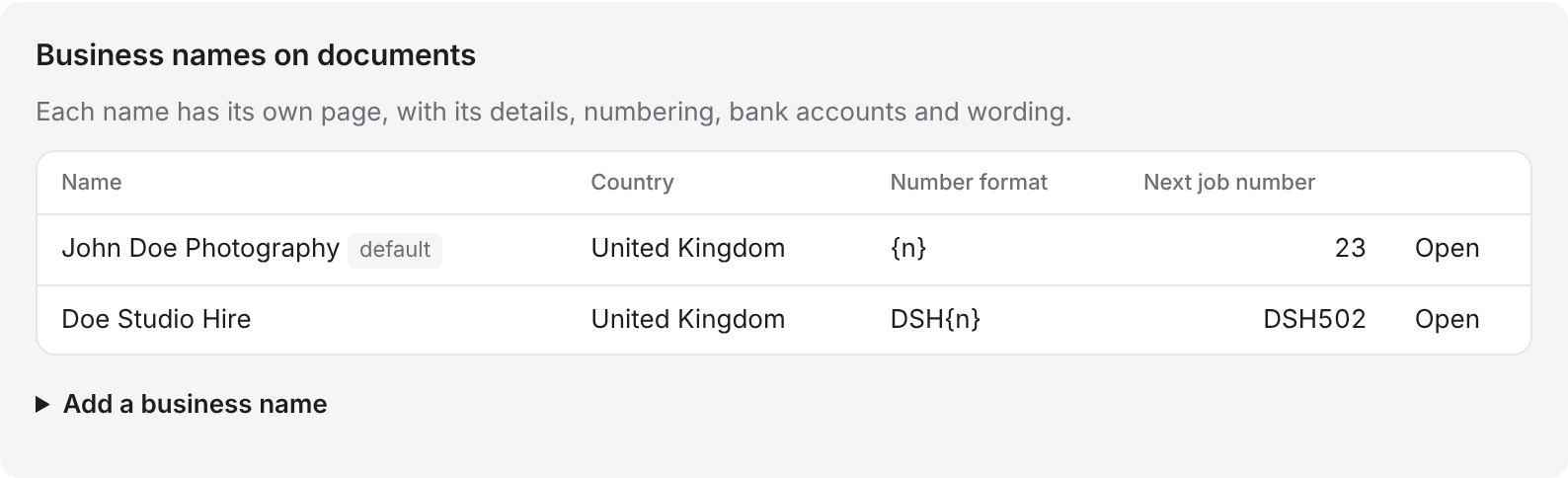
Many photographers and videographers trade under more than one name, for example their own name for commissions and a studio name for hire. In BidWrap each of these is a business name. Each one has its own address, tax number, payment terms, footer and run of numbers.
Adding a business name
- Click Settings in the side menu.
- In Business, find Business names on documents.
- Click Add a business name.
- Type the Name on documents, as it should print at the top of estimates and invoices.
- Fill in the legal name, trading as line, email, phone, website and address.
- Type your Tax registration number and Company number, if you have them.
- Set Days to pay invoices. Type 0 for payment on receipt.
- Set the Number format and the Next job number. See below.
- Type any Footer on documents.
- Click Add.
To change one later, click Open beside it. Its page is also where you add a Logo on documents, and where you tick Use this name by default on new jobs. Without a logo, documents show the business name instead. Under its details, the page lists the bank accounts and wording that print for that name.
How numbering works
Each new job takes the next number from its business name. The estimate and the invoice for that job both carry the same number, so Estimate 2000 and Invoice 2000 belong to the same job.
In the Number format, the letters {n} are replaced by the number. For example, the format JOB_{n} with the next number 2000 gives JOB_2000. Leave it as {n} for the number on its own.
Email address
The email address of a business name is where replies go when you email an estimate or an invoice from BidWrap, and where a copy is sent if you ask for one.
Working in one business at a time
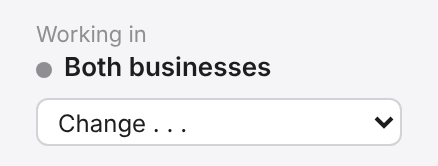
With two or more business names, a Working in box appears at the top of the side menu. Choose a business there and Jobs, Invoices and Reports show that business only. Choose Both businesses to see everything together. New jobs start in the business you are working in, and you can change it on the job.